
Technology
Cloud-based hotel PMS
The cloud argument is largely settled for independent properties, and it is usually made for the wrong reasons. What actually changes when the server leaves your property is not "modern technology" — it is backups you no longer forget, updates you no longer schedule, and one question you must ask every vendor precisely.
- The real gains are unglamorous — no server, no backup routine you forget, no engineer visit for updates.
- Ask one question precisely: "when my internet drops at 8pm on a Saturday, what exactly stops working?"
- Data is usually safer in a data centre than on a PC behind your front desk. The real risk is shared passwords.
- Confirm data export before you sign, not after you have a year of reservations in the system.
- On-premise still has a case — genuinely poor connectivity, or a property that wants everything on site for its own reasons.
What cloud actually means here
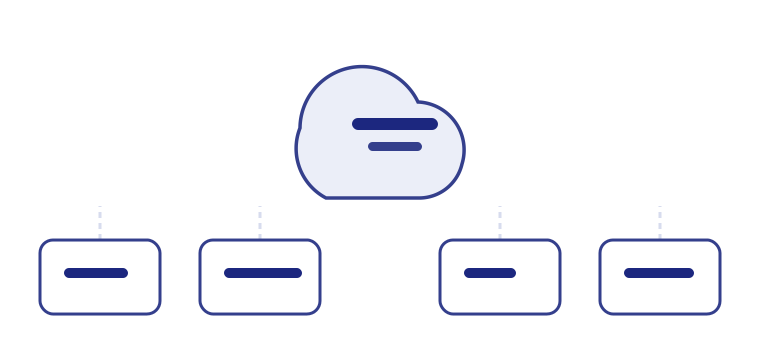
A cloud-based hotel PMS runs in a web browser, with your data held in a managed data centre rather than on a machine at your property. There is nothing to install, no server to buy, and the software is reached the same way from the front desk, the back office or a phone.
On-premise means the opposite: a server at the property, software installed on each machine, backups that are your responsibility, and updates that arrive as a scheduled visit or not at all.
What genuinely changes
Vendors sell cloud on words like "modern" and "scalable", which mean very little to somebody running a forty-room hotel. Here is the version that actually shows up in daily life.
| What changes | Why it matters in practice |
|---|---|
| No server | No hardware to buy, no room to keep it cool, no replacement every four or five years |
| Backups happen | The honest point: most on-premise properties are not backing up reliably, and discover this only when a disk fails |
| Updates arrive | You run the current version without scheduling anything or paying for a visit |
| Access from anywhere | An owner can see occupancy from another city; a manager can take a booking from home |
| Multi-property from one login | Genuinely difficult on-premise, since each site needs its own installation |
| Onboarding in days | Nothing to install means implementation is configuration, not deployment |
The strongest argument for cloud is not the technology. It is that the backup you were supposed to be taking is now somebody else's job.
The outage question
This is the section that matters most, and the one most cloud vendors answer badly.
"Our internet is unreliable, so cloud won't work here" is sometimes a fair assessment of a specific property and often a reflex left over from a decade ago. Either way, the useful move is not to argue the general case. It is to ask every vendor one precise question:
The answers vary far more than the marketing suggests:
| Answer you get | What it tells you |
|---|---|
| "Billing and KOT printing continue on the local network and sync when the line returns" | They have thought about Indian conditions and built for them |
| "You can use a mobile hotspot as a fallback" | Reasonable and honest — a real mitigation, not a feature |
| "Our uptime is 99.9%" | They have answered a different question. Their uptime is not your broadband |
| "That never really happens" | They have not deployed in enough Indian properties |
| "The system stops until connectivity returns" | At least honest. Now decide whether that is acceptable for your property |
A sensible mitigation regardless of the answer: keep a mobile hotspot at the front desk, and keep a thermal KOT printer in the kitchen as a fallback. Both cost very little and remove most of the anxiety.
Security and where the real risk is
Hoteliers often frame this as "is my data safe out there", when the comparison worth making is against the alternative — a Windows PC behind the front desk that everybody shares, with no encryption, no backup and a password taped to the monitor.
What the data centre handles
- Physical security and redundant power
- Automated, tested backups
- Encryption in transit and at rest
- Patching against known vulnerabilities
- Recovery if hardware fails
What is still your problem
- Shared logins across a shift
- Weak or reused passwords
- Two-factor authentication switched off
- Ex-staff whose accounts were never disabled
- Everybody having the manager password
Every one of those right-hand items is a bigger practical risk to an Indian hotel than the hosting arrangement — and every one is fixable in an afternoon. Give each person their own login, turn on two-factor for anyone with manager rights, and disable accounts when staff leave.
Who owns your data
The reasonable objection to cloud is that your reservations, guest records and financials live on somebody else's infrastructure. The protection is contractual and practical rather than technical:
- Confirm ownership in writingYour data should be yours, stated plainly in the agreement rather than implied.
- Test the export before you commitAsk them to export reservations, guest profiles, folios and financials during the trial. Look at what actually comes out.
- Check the formatA PDF report is not a data export. CSV or an equivalent structured format is.
- Ask what happens if you leaveHow long is data retained, and how do you retrieve it? Get the answer before you need it.
- Take your own periodic exportQuarterly is enough for most properties, and it costs nothing but discipline.
Cost over five years
The usual objection is that subscriptions never stop while a licence is paid once. True, and incomplete — on-premise costs do not stop either, they just arrive in less visible forms.
| Cost | Cloud | On-premise |
|---|---|---|
| Software | Annual subscription | Upfront licence |
| Server hardware | None | Purchase, then replace every 4–5 years |
| Annual maintenance | Included | Typically 15–20% of licence |
| Updates | Included | Often chargeable, sometimes a site visit |
| Backup | Included | Your hardware, your time, your risk |
| Adding a second property | Configuration | A second installation |
| IT support | Vendor | Local technician on call |
Compare over five years including hardware replacement, and for a small independent property cloud is usually cheaper as well as simpler. For a large property with existing IT infrastructure, the arithmetic can go either way.
When on-premise still wins
Fewer situations than a decade ago, but the honest list:
- Genuinely poor connectivity — remote properties where broadband is unreliable and mobile data is weak, and where an offline-capable cloud build still would not be enough.
- A policy or contractual requirement that data remain physically on site.
- Significant existing investment — a recent server, a working local setup and a team that knows it.
- Very large properties with corporate IT, where infrastructure and staff already exist and are already paid for.
What to ask a cloud vendor
- What exactly stops working in an outage?The question from earlier, asked specifically and answered specifically.
- Where is the data hosted, and is there redundancy?Region matters for latency and sometimes for policy.
- How often are backups taken, and have restores been tested?Backups nobody has restored from are a hope, not a plan.
- Is two-factor available for manager accounts?And is it on by default?
- Can I export my own data, on demand?Test it during the trial.
- How are updates released?Automatic is normal; ask whether anything ever changes without notice.
- What is the support response time, in hours?Including evenings and weekends, when hotels are busiest.
Frequently asked questions
What is a cloud-based hotel PMS?
Hotel software that runs in a browser with data in a managed data centre rather than on a server at your property — no installation, no local backup routine, reachable from any device.
Is cloud better than on-premise?
For most independents, yes. On-premise still suits genuinely unreliable connectivity, though offline-capable cloud has narrowed the gap. See what a PMS is.
What happens if the internet goes down?
Depends entirely on the product. Offline-capable systems keep billing and KOT printing running locally and sync on reconnection; others stop. Ask each vendor precisely.
Is my data safe in the cloud?
Generally safer than on a shared PC behind the front desk. The real risks are shared logins and weak passwords rather than the hosting.
Who owns the data?
You should — confirm it in writing, and confirm you can export it yourself in a structured format.
Does it need special hardware?
No. Any computer with a modern browser and standard printers. See hardware.
How are updates handled?
Automatically, usually included, so every property runs the current version. It also means there is no version you can decline.
Can I access it from my phone?
Yes — it runs in a browser. Housekeeping and captain ordering also have purpose-built apps.
What if the vendor shuts down?
Check track record and update history, keep periodic exports, and read what the contract says about your data if the service ends.
Does cloud cost more over time?
Subscriptions recur, but on-premise carries maintenance, server replacement and upgrades. Over five years including hardware, cloud is usually cheaper for a small property.